
One scroll.
One long screenshot.
Tap once in Control Center, scroll, then stop. OneScroll stitches as you go, so the whole chat, article or product page lands in Photos as a single image.

Get OneScroll on the App Store · 5 free, then a one-time purchase · iPhone, iOS 27 or later

Tap, scroll, stop.
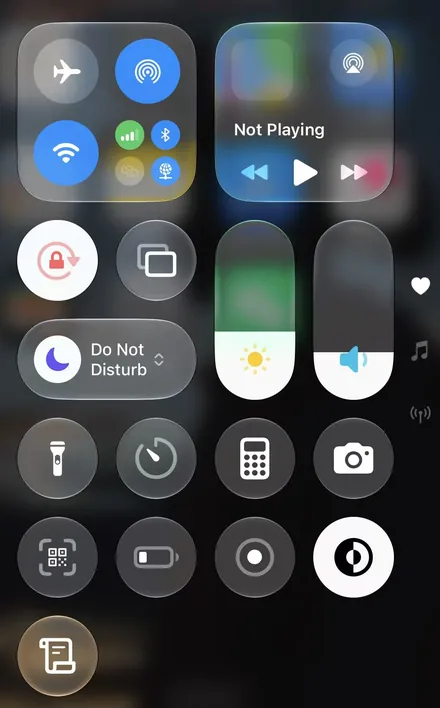
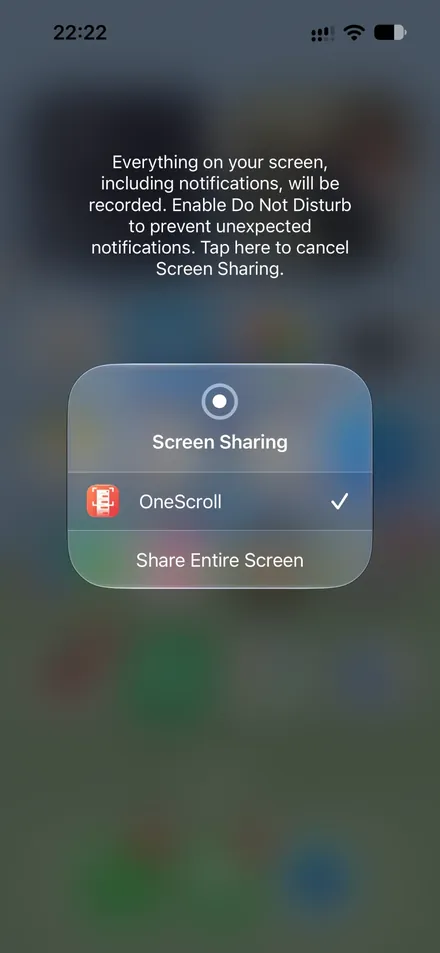
Drag the glass handle to go through it step by step
-
1
Tap
Long Screenshot in Control Center, then choose your entire screen.
-
2
Scroll
At an even pace. OneScroll stitches as you go.
-
3
Stop
A few seconds later it's in Photos.
First time only: add Long Screenshot to Control Center. Step-by-step guide
Small app, one job, done well.
-
Almost any app
WhatsApp, X, Reddit, Instagram, Safari and more.
-
A clean image
The Dynamic Island and recording dot are erased from the image.
-
Crop and share
Trim the start and the end.
-
Private
Nothing uploaded. No ads.
Scroll once. Get the whole page.
5 free long screenshots
Then unlock the full version with a one-time purchase.
- No subscription, nothing renews
- Unlimited long screenshots after unlocking
- No account needed
- Restore Purchases brings it back on a new iPhone
Get OneScroll on the App Store · 5 free, then a one-time purchase · iPhone, iOS 27 or later